

Quick answerTo link JavaScript to HTML, add <script src="script.js" defer></script> inside the <head>, where src is the path from the HTML file to your .js file. The defer attribute makes the script run after the page's HTML has loaded, so it can find your elements. Always include the closing </script> tag.
The code to link a JavaScript file to HTML
You need two files in the same folder: your page (index.html) and your script (script.js). The <script> tag with a src attribute connects them.
my-site/
├── index.html
└── script.js
index.html
<!DOCTYPE html>
<html lang="en">
<head>
  <meta charset="utf-8">
  <title>My page</title>
  <script src="script.js" defer></script>
</head>
<body>
  <h1>Hello, JavaScript!</h1>
  <button id="greet">Say hello</button>
  <p id="out"></p>
</body>
</html>
script.js
const button = document.getElementById("greet");
const out = document.getElementById("out");

button.addEventListener("click", () => {
  out.textContent = "Hello! script.js is linked and working.";
});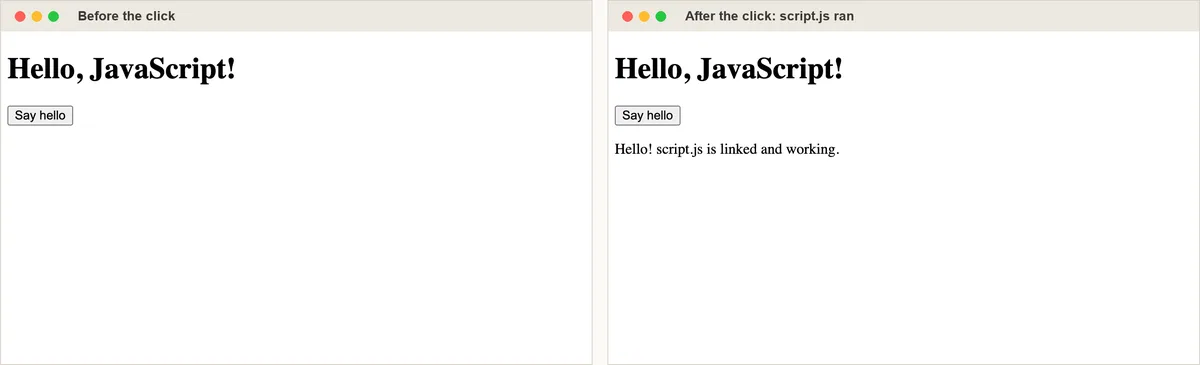
Open index.html in your browser and click the button. If the message appears, the file is linked. Notice that script.js contains only JavaScript: no <script> tags and no HTML.
What each part of the script tag does
| Part | Needed? | What it does |
|---|---|---|
<script>…</script> | Yes | Loads or contains JavaScript. The closing tag is required, even when the tag is empty. |
src="script.js" | For a file | The path or URL of the JavaScript file. |
defer | Recommended | Downloads the file while the page loads and runs it after the HTML is ready, in the order the tags appear. |
async | Optional | Runs the file as soon as it downloads, in any order. For independent scripts like analytics. |
type="module" | Optional | Loads the file as a JavaScript module so it can use import and export. Modules are deferred automatically. |
type="text/javascript" | No | Old habit. JavaScript is the default, so you can leave it out. |
A <script> tag can either load a file or contain code, not both. If a tag has a src, any code you write between its opening and closing tags is ignored.
Where to put the script tag: head or body?
There are two good places, and they do the same job:
- In the
<head>withdefer(the modern choice). The browser starts downloading the file early but waits to run it until the whole page is parsed. - At the end of the
<body>, just before</body>, withoutdefer. By the time the browser reaches the script, the elements above it already exist.
The one place that causes trouble is a plain <script src="script.js"> in the head without defer. The script runs before the body exists, so document.getElementById("greet") returns null and you get the error Cannot read properties of null (reading 'addEventListener'). Adding defer fixes it.
defer vs async vs module
| Attribute | Blocks the page? | When it runs | Order kept? | Use for |
|---|---|---|---|---|
| (none, in head) | Yes | Immediately, before the rest of the page | Yes | Almost never |
defer | No | After the HTML is parsed | Yes | Your own scripts and libraries they depend on |
async | No | As soon as it downloads | No | Independent scripts (analytics, ads, widgets) |
type="module" | No | After the HTML is parsed (like defer) | Yes | Code split into files with import/export |
From the authorIn client projects, the most common "my JavaScript doesn't work" bug I fix is a script in the head without defer. My rule: put every script in the head with defer (or type="module") and you'll never have to think about element order again. — Faisal Nadeem
How to link a JS file in another folder
The src path works exactly like a stylesheet's href: it starts from the folder the HTML file is in.
| Where the .js file is | src to use |
|---|---|
| Same folder as the HTML file | script.js |
In a js folder next to the HTML file | js/script.js |
| One folder up | ../script.js |
| From the website's root (on a server) | /js/script.js |
| On a CDN | https://cdn.jsdelivr.net/npm/… |
As with CSS, a path starting with / breaks when you open the file straight from your computer (file://). The CSS linking guide has folder diagrams that apply to JavaScript too.
JavaScript inside the HTML file
For a few lines, you can write the code straight into the page with a <script> tag that has no src. Put it at the end of the body so the elements exist:
<body>
  <button id="greet">Say hello</button>

  <script>
    document.getElementById("greet").addEventListener("click", () => {
      alert("Hello!");
    });
  </script>
</body>
Note that defer has no effect on inline scripts, only on scripts with a src. You may also see onclick="…" attributes written directly on elements. They work, but keeping code in addEventListener calls is easier to maintain and works with strict security policies.
Linking a library from a CDN
Libraries load the same way, with a full URL. Order matters: the library must come before the code that uses it. With defer on both, the browser keeps that order for you:
<script src="https://cdn.jsdelivr.net/npm/canvas-confetti@1.9.3/dist/confetti.browser.min.js" defer></script>
<script src="script.js" defer></script>
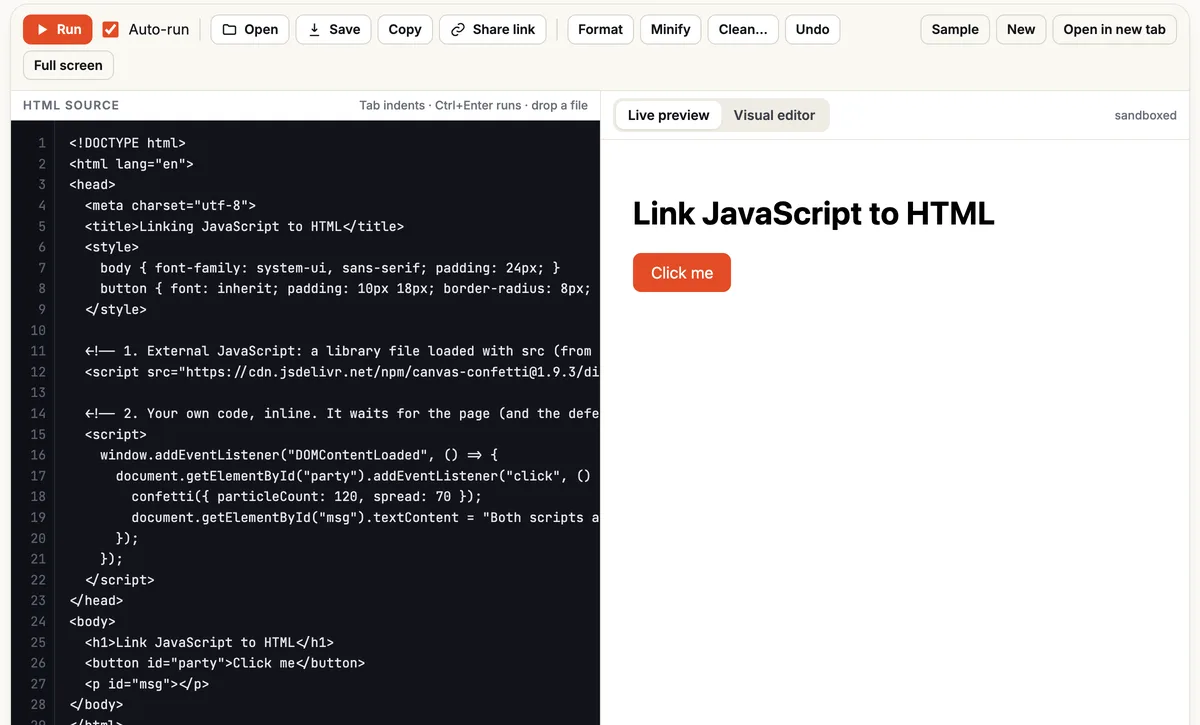
Always pin an exact version (like @1.9.3) so an update to the library can't break your page overnight. This example loads a library from a CDN and uses it from an inline script. Here it is right after a click:
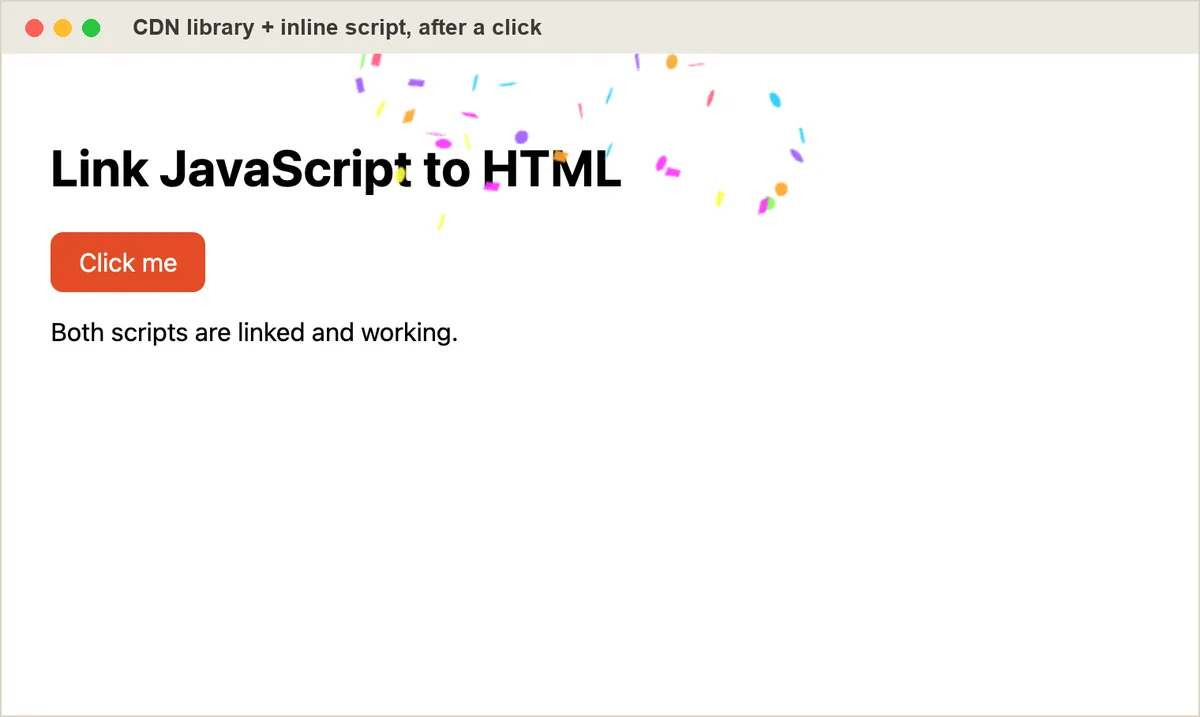
Open it in the editor and click the button yourself:
Open this example in the editor →
Linking JavaScript modules
To split code into files that import each other, link the entry file with type="module":
<script type="module" src="js/main.js"></script>// js/main.js
import { greet } from "./greet.js";
greet("world");Modules don't work when you double-click the HTML file, because browsers block module loading from file:// (you'll see a CORS error in the console). Serve the folder with a local server instead, for example the Live Server extension in VS Code or npx serve.
JavaScript not linking to HTML? Check these 9 things
- Open the console first. Press F12 (Cmd+Option+I on Mac) and look at the Console tab. Most problems show up there as a red error with a file name and line number.
- The path is wrong. In the Network tab, a red
script.jswith status 404 means the browser can't find the file. Fix thesrc. Cannot read properties of null. The script ran before the element existed. Adddeferor move the tag to the end of the body.- A self-closing tag.
<script src="script.js" />doesn't work in HTML. Write<script src="script.js"></script>. - Code inside a tag that has
src. It's ignored. Move it to its own<script>tag or into the .js file. - Upper and lower case.
Script.jsandscript.jsare different files on most web servers. - The file isn't really .js. Check that the editor didn't save
script.js.txt, and that the file contains no<script>tags. - Modules opened from
file://. Use a local server, as described above. - The browser is showing an old copy. Hard-reload with Ctrl+Shift+R (Cmd+Shift+R on Mac).
Still stuck? Run the page through the HTML validator. An unclosed tag above your script can stop the browser from reading it.
Linking JavaScript in VS Code
In an HTML file, type script:src and press Tab. Emmet writes <script src=""></script> for you; fill in the path and add defer. Ctrl/Cmd-click the path to check that it opens the right file. The Live Server extension reloads the page every time you save, which also makes modules work.
Linking a stylesheet too? It works the same way with a <link> tag: see how to link CSS to HTML.
Frequently asked questions
Where do I put the script tag in HTML?
In the <head> with the defer attribute, or at the end of the <body> without it. Both make sure the HTML exists before your code runs.
How do I link an external JS file to HTML?
Add <script src="script.js" defer></script> to the head, with src set to the path from the HTML file to the .js file. Don't forget the closing </script> tag.
Why is my JavaScript not working in HTML?
Open the browser console (F12). The usual causes are a wrong src path (a 404 in the Network tab), a script that runs before the page has loaded (fix with defer), or a self-closing <script /> tag.
What is the difference between defer and async?
Both download the script without blocking the page. defer runs scripts after the HTML is parsed, in order; async runs each one as soon as it downloads, in any order.
Can I link more than one JavaScript file?
Yes. Add one <script> tag per file. With defer, they run in the order they appear, so put libraries before the code that uses them.
Do I need type="text/javascript"?
No. JavaScript is the default in HTML5. Only add a type when you need type="module".